
Yes, you can use ChatGPT (or Claude, or Gemini) to decide what to play from your Steam library, and it works quite well if you give it what it needs: your games, your hours and how you feel tonight. If you just ask “what should I play?”, it will answer with the usual classics, and probably with games you don't even own.
Here is how to do it in four steps, which questions get the best answers and what to avoid.
Step 1: give it your library, not a hand-typed list
An AI can't see your Steam account. All it knows about you is what you paste into the chat, so the first step is summarising your library. Doing it by hand is tedious and usually comes out incomplete.
With Your library for an AI it takes a minute:
- Sign in with Steam or type your profile. Your “game details” need to be public.
- We match your games against our catalogue.
- A Markdown file (plain text) is created in your browser, and you download or copy it.
It lists each game with your hours, your last session and whether it's unplayed or half-finished. For games that have a page in the catalogue it adds what they're like, how demanding they are, whether they suit short sessions, whether they're co-op, how they run on Steam Deck and when they're worth playing. It starts with instructions for the AI, so you don't need to explain anything.
On privacy: the file is generated in your browser and doesn't include your name, your SteamID or your profile, only games, hours and last-played dates. Even so, what happens next depends on the service you upload it to, so think about which one.
Step 2: upload it to the assistant you use
Any assistant that accepts files or long text will do: ChatGPT, Claude, Gemini, Copilot... You don't need any extension. Upload it as an attachment or paste the text into the chat. If your library is big, a file is better than pasting.
Step 3: tell it how you feel before you ask
This is the trick. The more you say about your moment (time, energy and who you're playing with), the better it does. Compare these two questions:
- “Recommend me a game.”
- “I've got 40 minutes, I'm running on empty and I don't want anything stressful. Which of mine?”
The second one lets it rule out everything long, hard or draining at once. It's the same idea as how to choose what to play when you have too many games: start with the moment, not the game.
Questions that work well
To play right now
- “I've got 40 minutes and I'm running on empty. Which game?”
- “Tonight I've got a couple of hours and fancy something intense with a good story.”
- “I'm on a train with the Steam Deck: something I can drop at any moment.”
To see what a good answer might look like, check the game's page. For a short session with no energy, something like Mini Motorways fits: according to its page it's for when you have 15–20 minutes and want to think a little.

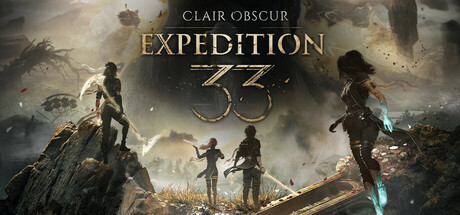
For a long evening with a story, an adventure like Clair Obscur: Expedition 33 is the kind you come back to every evening, because each area fits in one session. If the AI suggests it, remember its “when not to play it”: the fights ask for reflexes.
And for the Steam Deck, Dave the Diver alternates diving, management and surprises in sessions that are easy to cut short, and Steam rates it Verified.

For your backlog
- “Of the games I haven't started, which should I begin with and why?”
- “I've abandoned several. Which is worth going back to and which should I let go?”
- “Make me a plan to clear three backlog games this month, starting with the lightest.”
This is the best reason to use your real hours: the AI knows which ones you've never opened and which you left half-finished. If going back is your problem, how to get back into an unfinished game will help too.
With other people
- “I'm playing online with a friend tonight: what do I have that's co-op?”
- “Someone who almost never plays is coming round: something co-op that isn't hard.”
The second is a good question because it combines play mode and difficulty. LEGO Star Wars: The Skywalker Saga, for example, lets a second player join at any time with another controller, and its page warns that the combat is very easy. Perfect for that guest, not so good if you want a challenge.

To get to know yourself better
- “Based on my hours, what kind of games really hook me?”
- “Which games do I own with very good reviews that I've never opened?”
What to avoid
- Asking it to make things up. If a game isn't in the file with a page, the AI only has its name and your hours; it will fill in the rest from memory and may get lengths, play modes or language wrong. If a detail matters to you, check it on the game's page or on Steam.
- Pasting a list of names without hours. Without hours it can't tell what you play from what you bought in a sale and forgot.
- Letting it recommend outside your library. The file already asks it to choose only from your games. If you want ideas to buy, ask for them explicitly.
- Accepting the first answer. If it doesn't convince you, say so (“too long”, “I don't feel like thinking tonight”) and ask for another option.
- Using an old file. It's a snapshot of the day you downloaded it: if you've bought or played a lot since, download it again.
If you'd rather not use an AI
You don't have to leave the site. Choose from your Steam library does the same without an assistant: you answer five questions about your time, your energy and what you fancy, and we suggest a game you already own. It's the quickest option if you just want an answer for tonight.
So what are you playing now?
Tell us how much time you have and what you fancy, and we'll suggest a game in under a minute.
Find my game